D-Link G413X | How To Change Your Wi-Fi Password
This article is for customers using the D-Link G413X router who want to change their Wi-Fi password.
Steps To Change Your D-Link G413X Wi-Fi Password
Step 1:
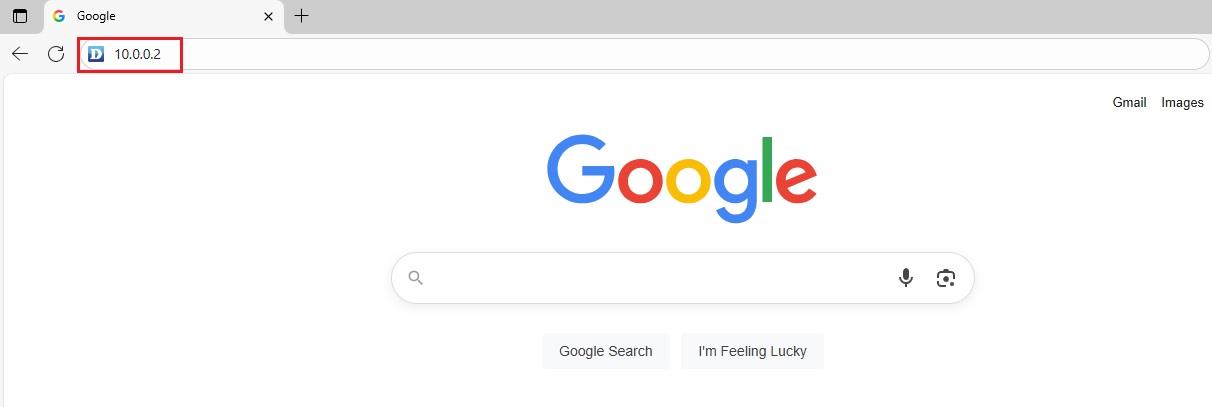
Open your preferred web browser, type 10.0.0.2 into the address bar, then press Enter.
Step 2:
A blue D-Link login page will appear. Enter the Admin Password.
- This will either be admin (default), or the custom password you've set.
Step 3:
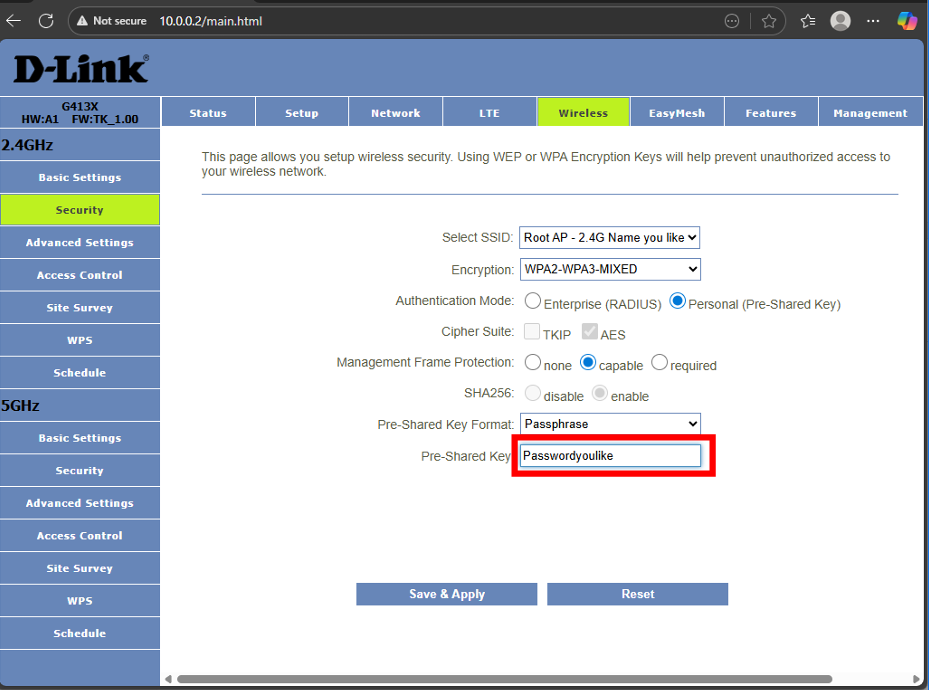
- Select 2.4GHz Security if you want to change the password for your 2.4GHz Wi-Fi.
- Select 5GHz Security if you want to change the password for your 5GHz Wi-Fi.
Step 4:
Click the dots next to the Pre-Shared Key to reveal your current Wi-Fi password. Replace it with your new password.
Step 5:
Click on Save & Apply.
Step 6:
Once the countdown is complete, restart your router to apply the changes.
Important Note: Don't forget to update the Wi-Fi password on all your devices that were previously connected.
Related Articles
D-Link DWR-957X | How To Change Your Wi-Fi Password
If you're using the D-Link DWR-957X router and want to update your Wi-Fi password for better security or personalisation, follow the simple steps below. Steps To Change Your D-Link DWR-957X Wi-Fi Password Step 1: Open your preferred web browser, and ...
D-Link DWR-957X Router Setup Guide - Easy Step-By-Step Instructions
This guide is for customers who want to set up their D-Link DWR-957X router for the first time. Steps To Set Up Your D-Link DWR-957X Router Step 1: Access The Router Settings Open the web browser (eg, Chrome, Safari, or Edge). Type 10.0.0.2 into the ...
D-Link G413X | How To Set Up Your Router
This guide is for customers who want to set up their D-Link G413X router for the first time. Steps To Set Up Your D-Link G413X Router Step 1: Access The Router Interface Open your preferred web browser (eg, Chrome, Firefox, Edge). In the address bar, ...
D-Link DWR-956-TK | How to lock your router to 4G
This article is for clients using the D-Link DWR-956-TK router. Why would you want to lock your router into 4G? 4G is a loose term for the fourth generation of cellular communications, offering speeds that are about 10 times faster than they are on ...
[How To] Set up your D-Link LTE Router
This article is for existing Telkom LTE customers who need to set up their D-Link LTE router. Follow these steps to set up your D-Link LTE router: Step 1. Insert the SIM Card into your D-Link DWR-957M Wi-Fi router. A) Flip the router upside down and ...